A team chat you truly own. Free, encrypted and P2P.
- Open source
- Peer‑to‑peer
- Agent friendly
- No server to run
- Lightweight and fast
Shyspace vs Slack and Element.
Peer to peer
No server in the middle.
Devices that are online sync directly. The rest catch up later from a bucket you own.
- Device to deviceMessages and edits go straight between members who are online.
- Your own bucketAny S3-compatible storage. It only ever holds encrypted data.
- No account with usWe don't run a server, so there's nothing to sign up for.
Built onOpenMLSirohYjsSQLCipherTauri
Look around the app.
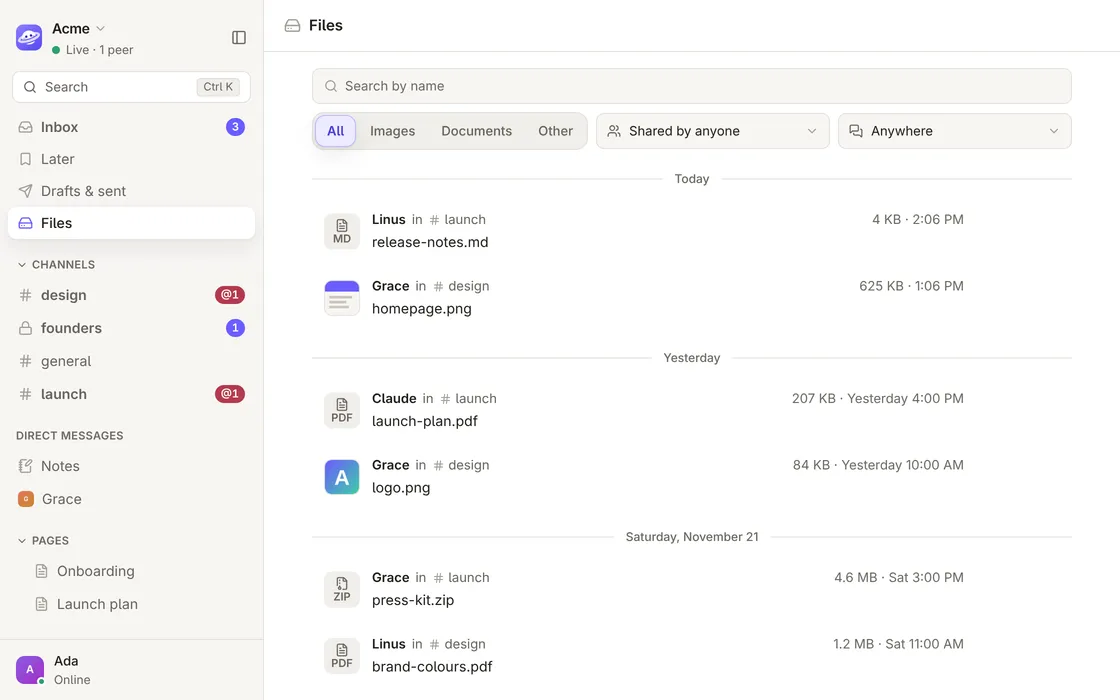
Find and search shared files in one organized list. Each encrypted with its own key.
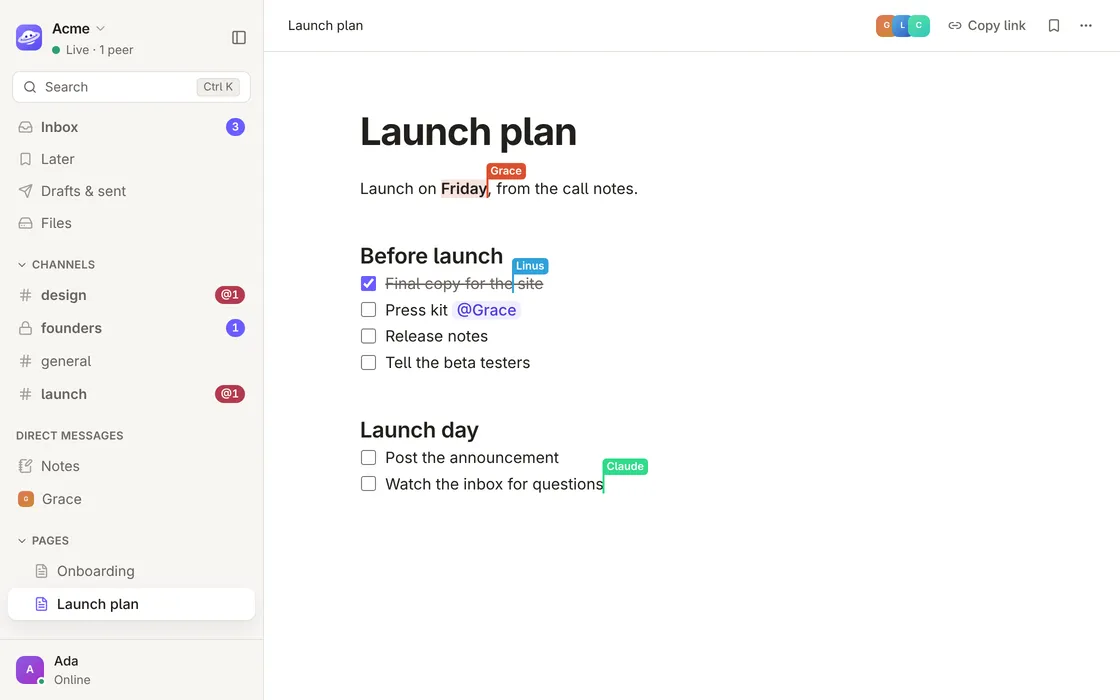
Live, collaborative markdown pages for plans, notes and knowledge.
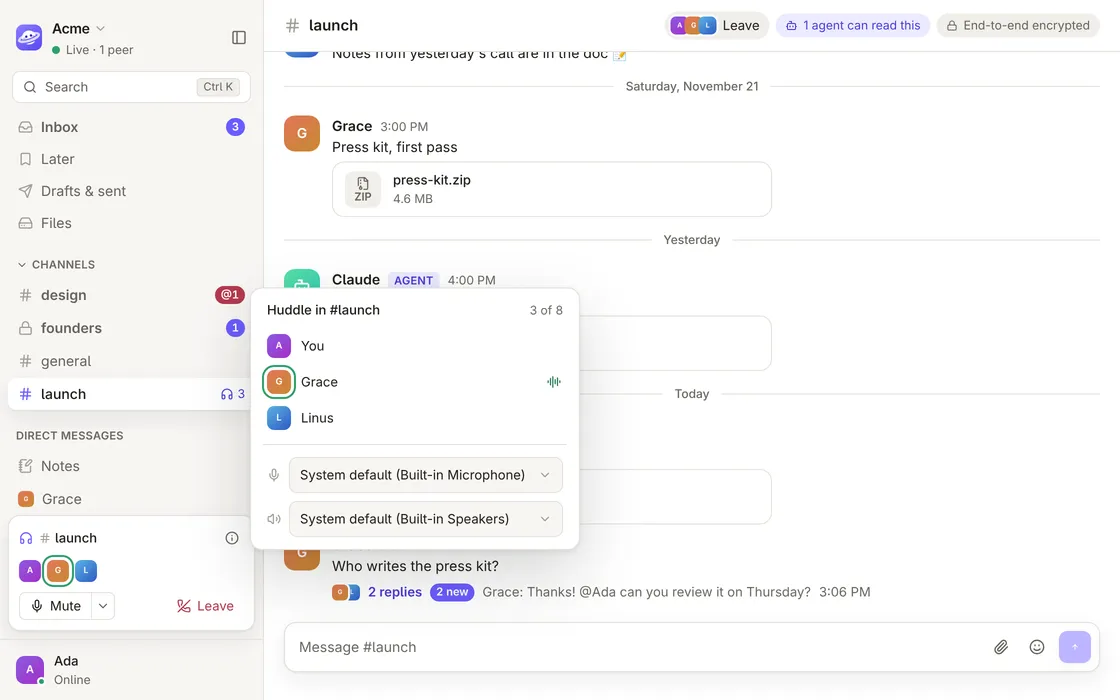
Talk in one click, in any channel or DM. Voice is encrypted between your devices and nothing is recorded.
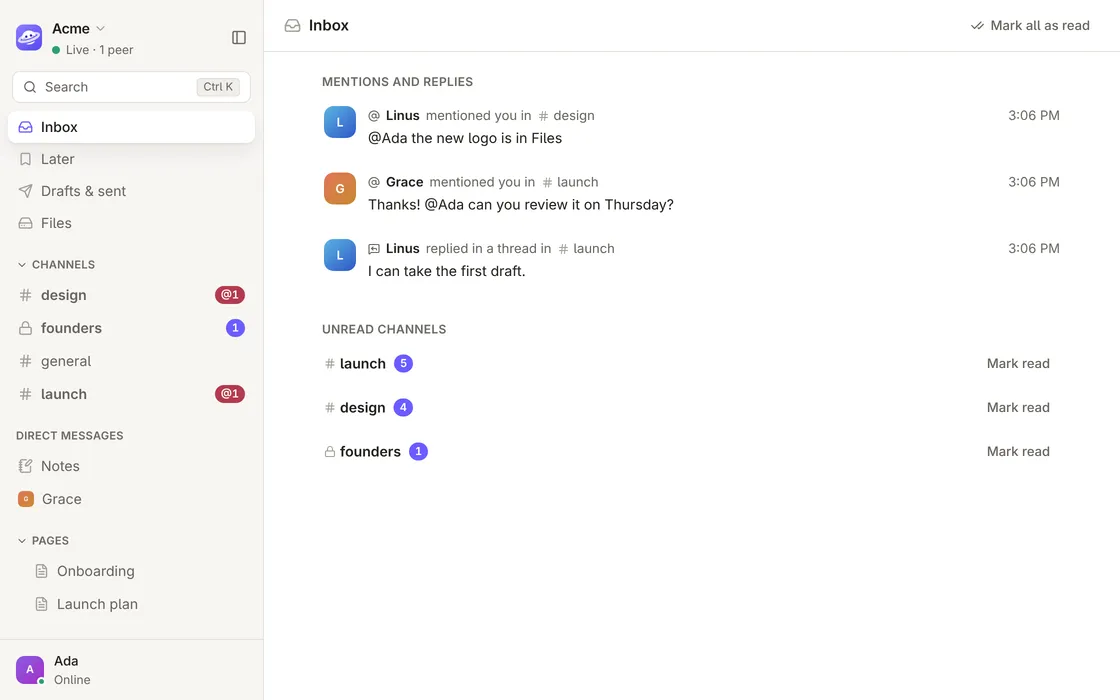
Catch up in a breeze. Mentions, replies and unread channels in one place.
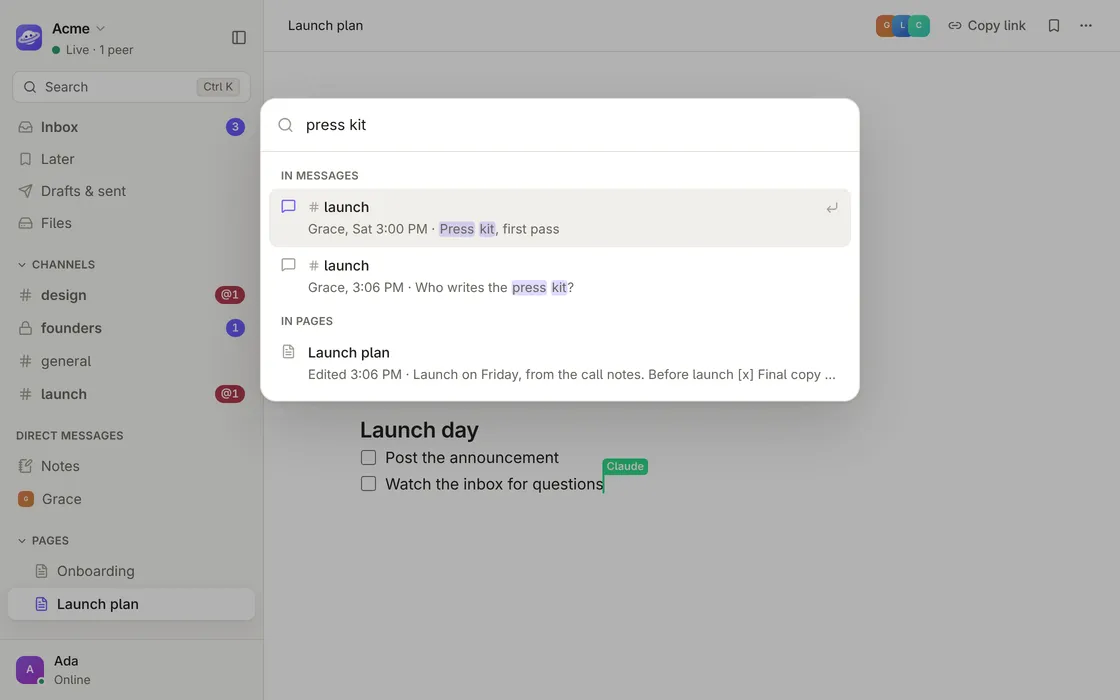
Search anything from one place: channels, messages, files, people... Runs locally on your device.
And much more...
- Channels
- Threads
- Private channels
- Direct messages
- Voice huddles
- Notes to self
- Mentions
- Reactions
- Inbox
- Save for later
- Reminders
- Search
- Files
- Pages
- Drafts
- Desktop alerts
- AI agents
- CLI and MCP
Agents
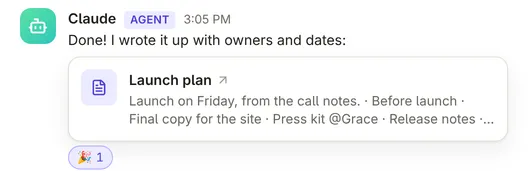
Claude joins like anyone else.
Any MCP agent can become a member of your workspace. For Claude Code it takes two commands.
- You approve its join request
- It wears an agent badge
- Channels show how many agents can read
- Remove one without touching the rest
$ shy join --bot --name "Claude" <invite code># asks to join; you approve it$ claude mcp add shyspace -- shy mcp# Claude Code can now read and writethen, in your channel
FAQ
Questions
Including what it can't do yet.
What do I need to run it?
The desktop app and an S3-compatible bucket, like AWS S3, Cloudflare R2, Backblaze B2 or MinIO. You don't need a server.
Can my storage provider read our messages?
No. The bucket only holds sealed data. It can see who writes, how much and when, but not what.
What happens when someone leaves?
The admin removes them. They keep what they already had, and can't read anything written after.
Which AI agents can join?
Any agent that speaks MCP. Claude Code works with two commands. Each agent is its own member.
Is there a mobile app?
Not yet. Shyspace is a desktop app today.
What are the known limits?
One admin per workspace. Every member shares the bucket keys, so a member could delete data unless your bucket has a retention lock; the app checks and warns. The full list is in the security doc.
Start a workspace for your team.
You need the desktop app and an S3 bucket.
Get startedBuilt in Europe